
Bought a KitchenAid stand mixer and want to turn it into a vegetable-slicing machine? Or perhaps you’ve found a KitchenAid slicer attachment online, but you’re not entirely sure whether it will fit your mixer.
Before spending money on an attachment that might not be right for your kitchen, there’s one important thing to know: KitchenAid’s Fresh Prep Slicer/Shredder is designed to work with the power hub of its household stand mixers. That includes the Artisan and Mini families, subject to the manufacturer’s stated compatibility for the specific attachment.
But there’s more to compatibility than simply whether an attachment slides into the mixer. You also need to identify the correct attachment model, understand what each blade does, and know the difference between a slicer, a food processor, and other KitchenAid accessories.
In this guide, we’ll explain which KitchenAid slicer attachments fit, how to check your mixer model, what to do when an attachment gets stuck, and which replacement parts you may need.
KitchenAid Slicer Attachment Compatibility
The KitchenAid Fresh Prep Slicer/Shredder (KSMVSA in the US and 5KSMVSA in the UK and other markets) is designed for the power hub of all household KitchenAid stand mixers. It comes with a 3mm slicing blade, a 4mm medium shredding blade, and a 6mm coarse shredding blade.
Before you buy: Always confirm the exact model and regional product documentation before purchasing a third-party or older attachment.
In this article, we’ll cover:
What Is the KitchenAid Slicer Attachment?

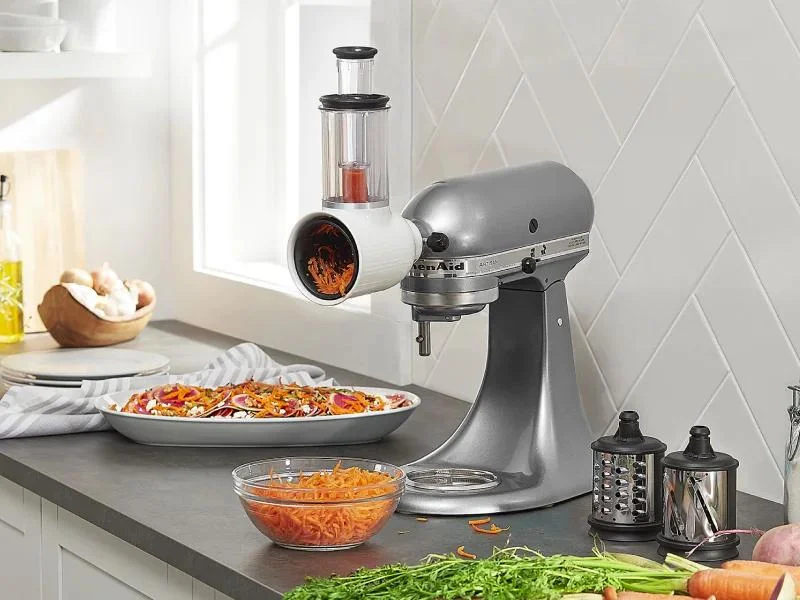


The KitchenAid slicer attachment is a stand-mixer accessory that uses the mixer’s motor to slice and shred ingredients. KitchenAid markets its current Fresh Prep Slicer/Shredder under model number KSMVSA, with the UK and European model designation 5KSMVSA.
Rather than buying a separate electric vegetable slicer, you connect the attachment to the power hub at the front of your stand mixer.
It Is Designed for Preparing Ingredients Such As
Three Cutting & Shredding Options
KitchenAid supplies three cutting and shredding blades with the KSMVSA, allowing you to switch between slicing and different shredding sizes.
KitchenAid Slicer Attachment Compatibility: Which Mixers Does It Fit?
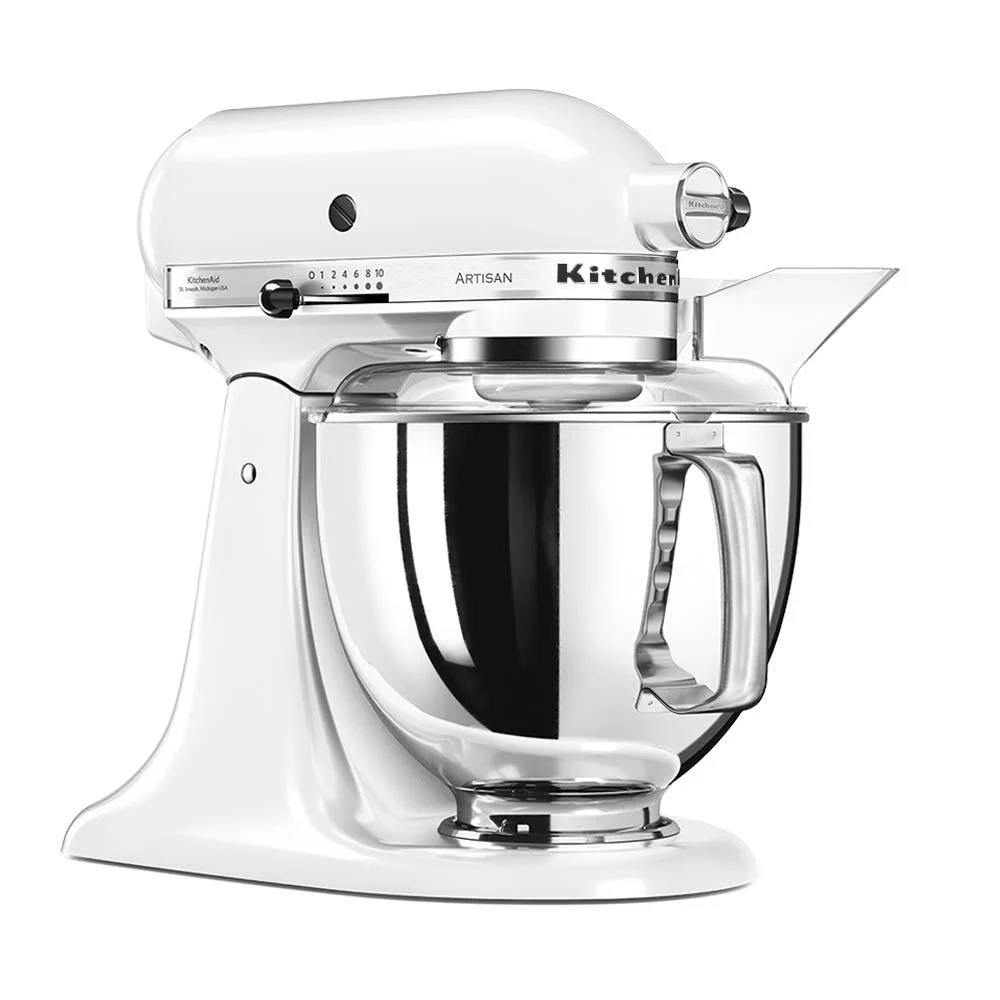
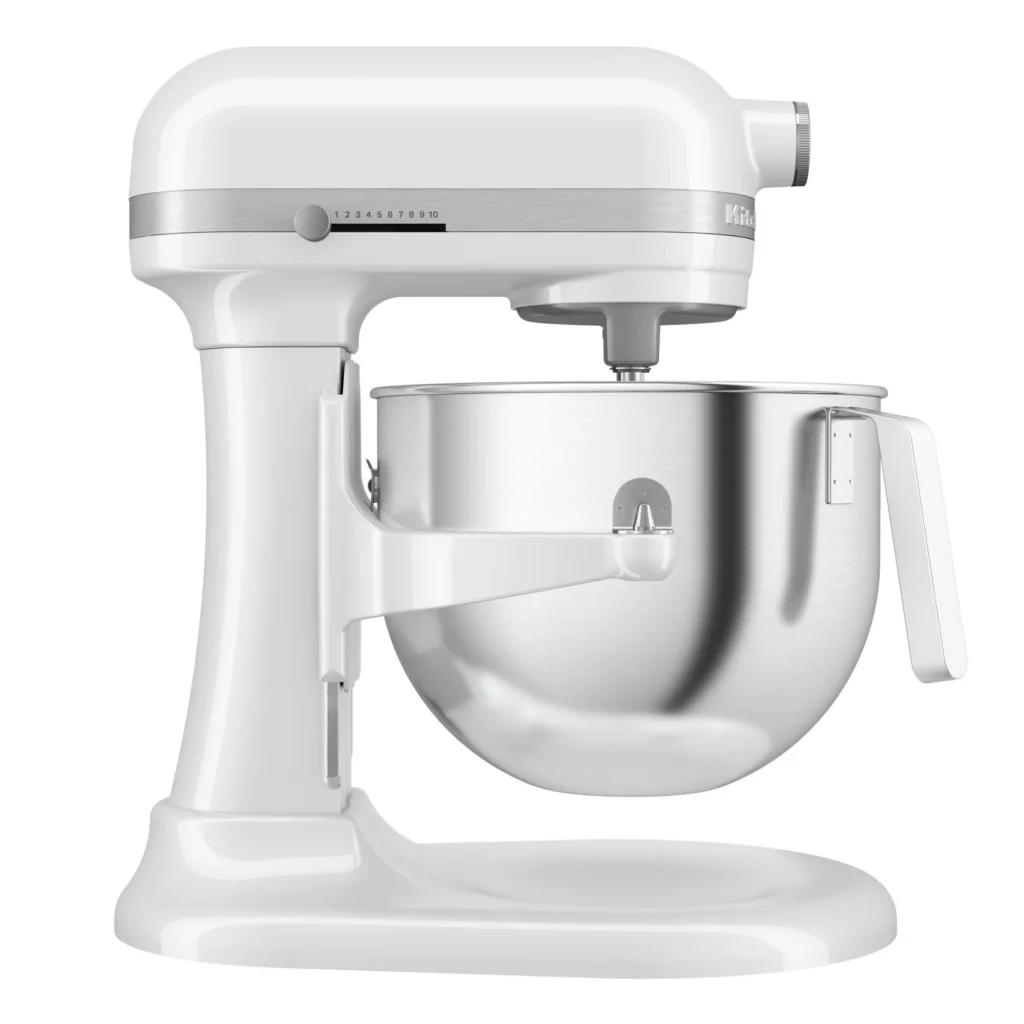

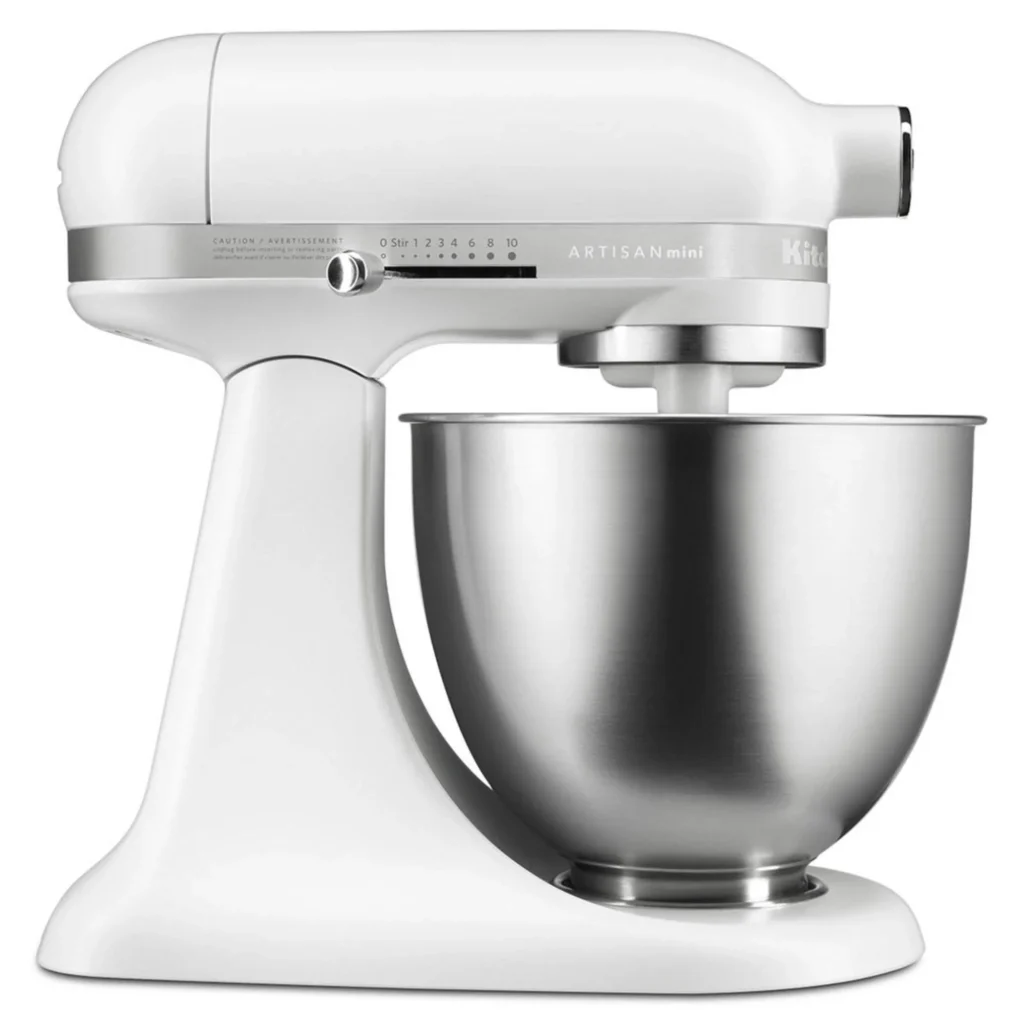

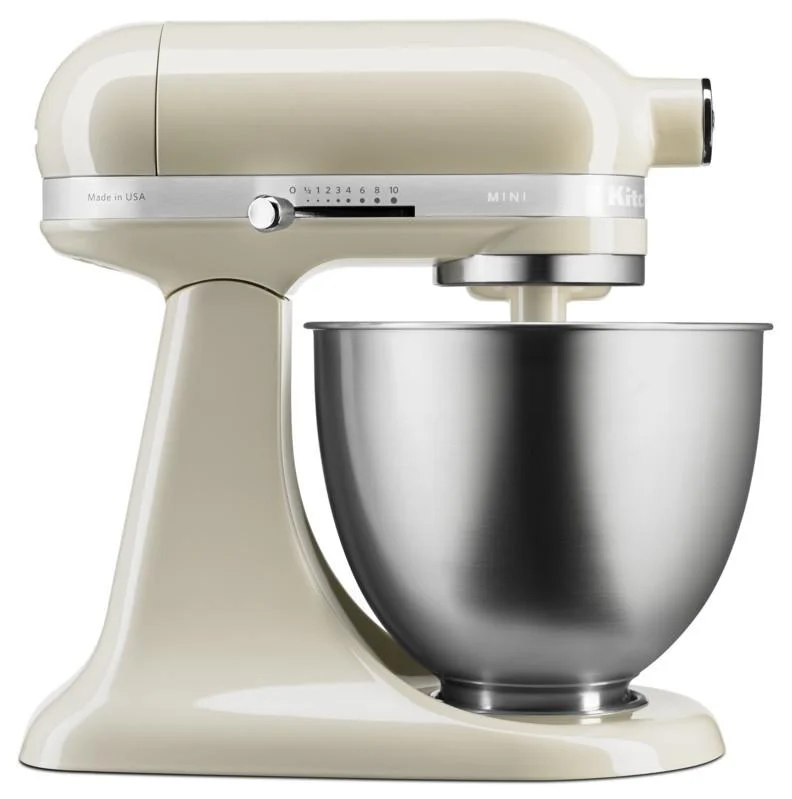
The key compatibility question is whether your stand mixer has the appropriate KitchenAid power hub and whether the attachment is specified for that mixer family.
For the official Fresh Prep Slicer/Shredder, KitchenAid states that it works with all household KitchenAid stand mixers. Its UK compatibility guide lists the vegetable slicer and shredder, model 5KSMVSA, as designed for all KitchenAid stand mixers.
KitchenAid slicer compatibility by mixer family
| KitchenAid mixer family | Fresh Prep compatibility |
|---|---|
| KitchenAid Artisan | ✓ Designed to fit the power hub. |
| KitchenAid Artisan Mini | ✓ Designed to fit the power hub. |
| KitchenAid Classic | ✓ Designed to fit the power hub. |
| KitchenAid bowl-lift household mixers | ✓ Designed to fit the power hub. |
| Older household KitchenAid stand mixers | ✓ Covered by KitchenAid’s universal hub compatibility statement. |
| KitchenAid Professional 5KSM7990X | ! Check the specific attachment’s compatibility documentation; some other KitchenAid attachments explicitly exclude this model. |
The table describes the manufacturer’s general power-hub compatibility for the Fresh Prep slicer, not a guarantee that every KitchenAid-branded accessory fits every mixer. KitchenAid’s own compatibility guide lists exceptions for certain other attachments, including its food processor, juicer, grain mill, and ice cream maker.
Does the KitchenAid Artisan slicer fit all Artisan models?
The Fresh Prep Slicer/Shredder is not limited to one particular Artisan mixer size. KitchenAid’s universal hub guidance covers its household stand mixers, including Artisan models.
If you own an Artisan 4.8L or another Artisan variant, the important check is the attachment’s exact model number and official compatibility statement, rather than the bowl capacity alone.
Does the KitchenAid slicer fit the Artisan Mini?
Yes, the official Fresh Prep slicer is designed to connect to the Artisan Mini’s power hub.
The Artisan Mini is a smaller stand mixer, but its smaller size does not by itself mean that it requires a separate slicer attachment. KitchenAid’s attachment guidance is based on the power hub for hub-powered accessories.
Will the slicer fit an older KitchenAid mixer?
KitchenAid’s attachment fit guidance states that the stand-mixer power hub is universal and that hub attachments are designed to fit stand mixers regardless of age.
If you have an older mixer, identify the model and check that the accessory is a genuine hub attachment. If it will not seat correctly, don’t force it into place. An incorrectly installed attachment or a damaged hub can create a fitting problem.
KitchenAid Slicer Attachment Model Numbers Explained
One source of confusion is that KitchenAid uses different model-number formats in different markets and has released more than one version of the slicer attachment.
KitchenAid explains that the newer KSMVSA differs from the older RVSA through its blade installation and ejection method, redesigned food pusher, updated appearance, and included storage case.
Fresh Prep Slicer/Shredder
- ✓ Quick-change blade installation and ejection
- ✓ Redesigned food pusher
- ✓ Updated overall design
- ✓ Includes storage case
Rotor Slicer/Shredder
- • Earlier slicer/shredder design
- • Different blade installation method
- • Earlier food-pusher design
- • Different included accessories
An older attachment should not automatically be treated as incompatible just because its model number differs from the newer Fresh Prep product. Confirm the specific product’s condition, included components, and documentation.
KitchenAid Fresh Prep Slicer/Shredder: What’s Included?
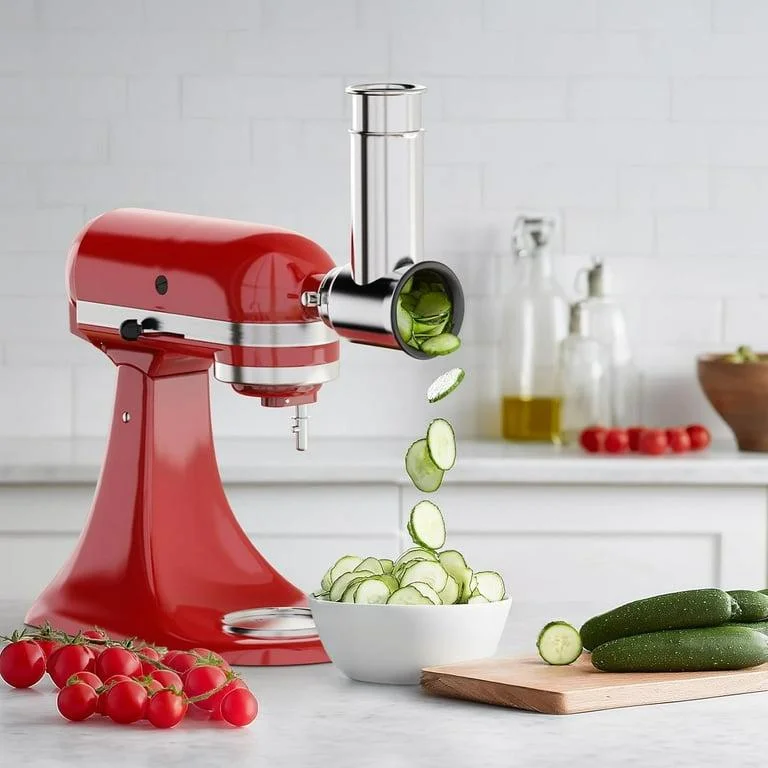

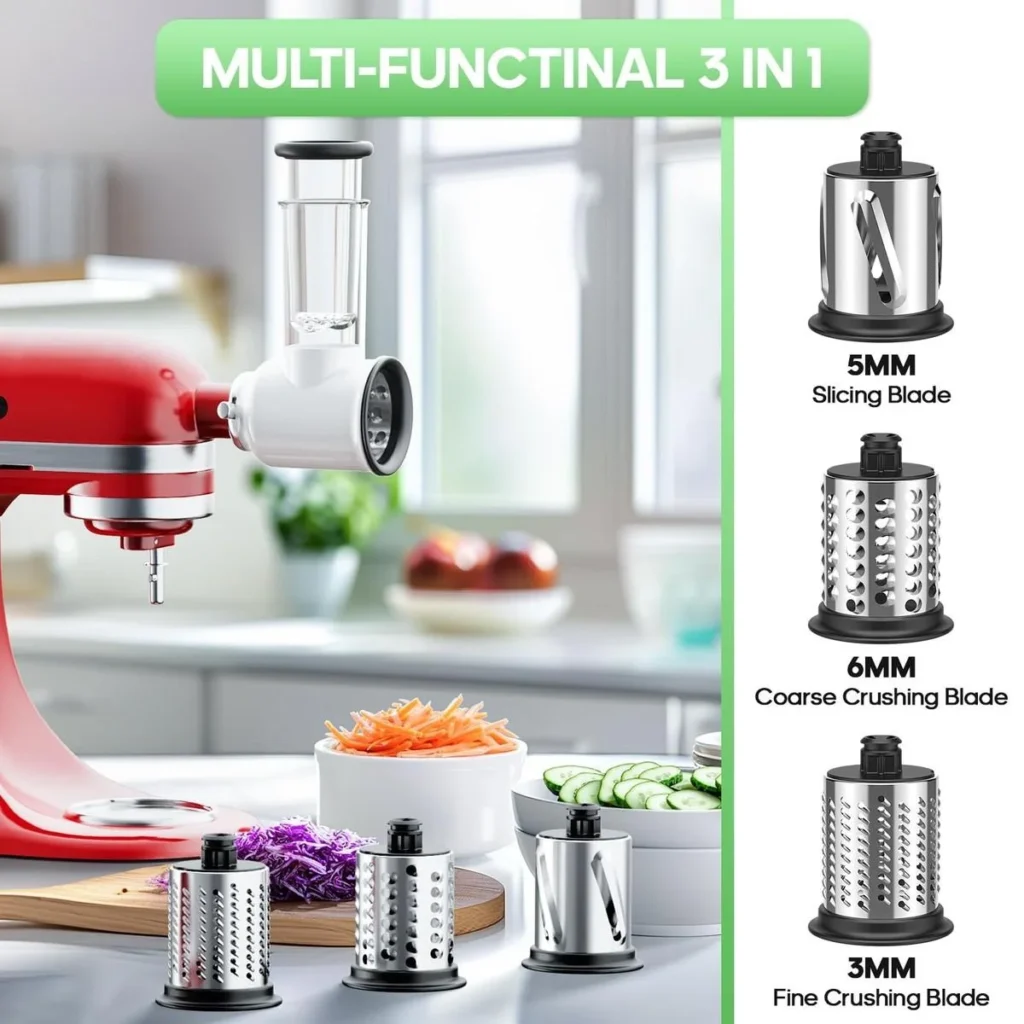
The official KSMVSA package contains the slicer/shredder attachment, three blades, a 2-in-1 food pusher, and a storage case.
If you want to check whether the Fresh Prep Slicer/Shredder works with your particular mixer, see our KitchenAid Attachment Compatibility Guide .
The three KitchenAid slicer blades
Each included blade is designed for a different type of slicing or shredding job. The size refers to the specified cutting or shredding size.
Slicing blade
Thin slices of cucumbers, carrots, celery, and zucchini.
Medium shredding blade
Shredded cheese and firmer vegetables such as carrots.
Coarse shredding blade
Cabbage for coleslaw and potatoes for hash browns.
The blade size refers to the specified cutting or shredding size. It does not mean that the attachment can produce every possible thickness or texture.
Which blade should you use?
If you regularly prepare salads, the slicing blade is useful for vegetables.
For shredded cheese, the medium shredding blade is the relevant option.
For cabbage or potatoes, the coarse shredding blade is designed for that type of preparation.
What is the 2-in-1 food pusher?
The food pusher guides ingredients into the feed tube while the attachment operates. KitchenAid describes its two-in-one feed system as accommodating a variety of ingredient sizes, from larger vegetables to narrower items such as celery.
Important: Use the supplied pusher rather than your fingers to guide food into the cutting area.
KitchenAid Slicer Attachment Instructions: How to Attach It

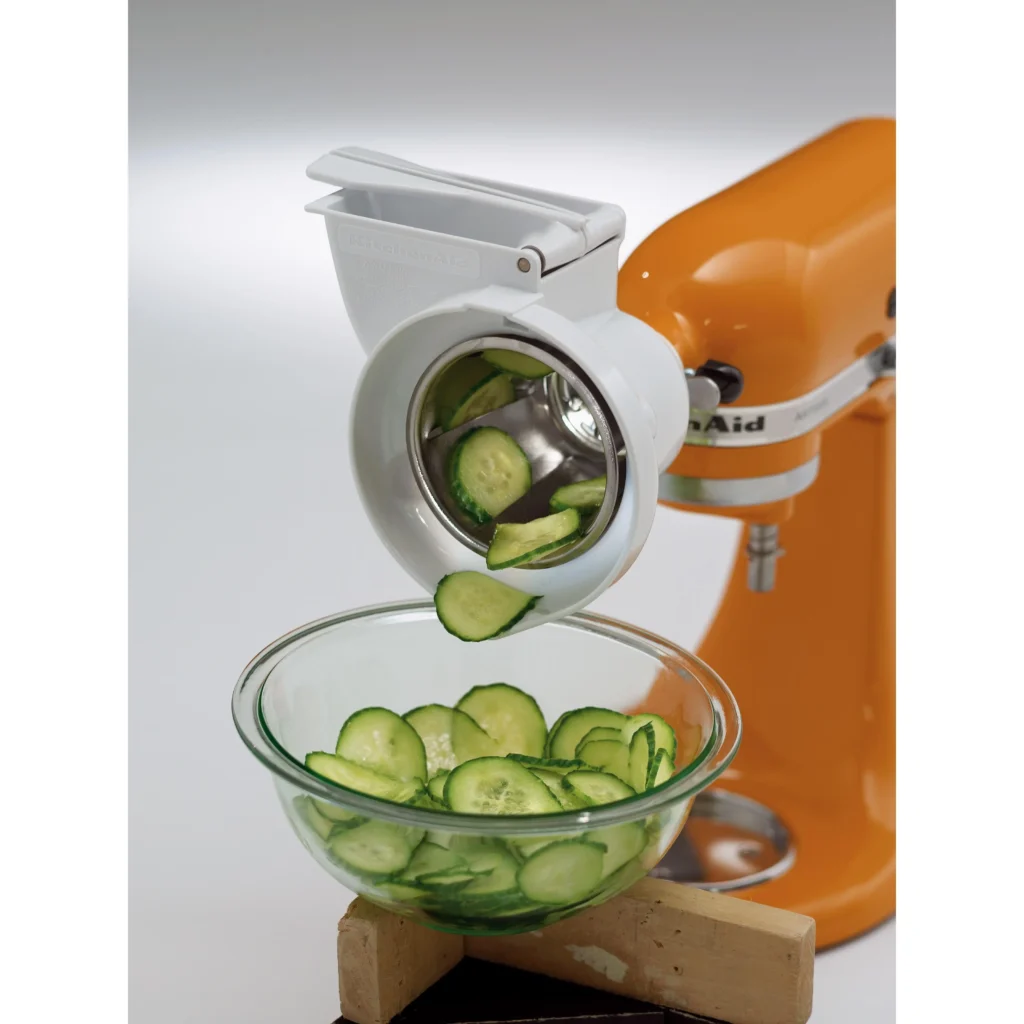


If your attachment is compatible but you have never used it before, follow the manufacturer’s instructions for your exact model. The general installation process for a KitchenAid hub attachment is as follows.
Make sure the mixer is switched off and disconnected from the power supply before fitting or removing the attachment.
Switch off and unplug the mixer
Make sure the mixer is switched off and disconnected from the power supply before fitting or removing the attachment.
Open the power hub
Remove or open the attachment hub cover according to your mixer model’s instructions.
Align the attachment shaft
Position the attachment’s drive shaft with the hub opening. Insert it carefully, following the manufacturer’s installation instructions.
Secure the attachment
Tighten the attachment hub screw as directed by your mixer manual. The attachment should sit securely without being forced.
Install the appropriate blade
With the mixer unplugged, fit the required slicing or shredding blade and assemble the feed tube and pusher as directed in the slicer manual.
Prepare ingredients and operate
Place a suitable bowl beneath the outlet. Connect the mixer to power and operate the attachment using the speed and operating instructions supplied for your model.
These are general installation steps, not a substitute for the KSMVSA or 5KSMVSA instruction manual. The official manual should be followed for blade assembly, operating speed, cleaning, and safe removal.
KitchenAid Slicer Attachment Stuck? Here’s What to Check
A slicer attachment that refuses to fit, won’t release, or appears stuck in the power hub can be frustrating. However, forcing it may damage the attachment or mixer.
If the attachment does not slide into the hub, will not stay secure, or will not release, stop and check the alignment, hub screw, and attachment instructions before applying any force.
The attachment won’t slide into the hub
Check the following:
-
✓Check compatibility Confirm that the attachment is designed for the KitchenAid stand-mixer power hub.
-
✓Check the hub opening Make sure the hub opening is clear and the attachment shaft is correctly aligned.
-
✓Inspect the attachment Check for visible damage, deformation, or foreign material.
-
✓Review the instructions Follow the installation instructions for your specific attachment.
The attachment fits but won’t stay in place
If the attachment moves or will not remain secure, switch off and unplug the mixer.
-
✓Check the hub screw Confirm that the hub screw has been secured according to the manual.
-
✓Check the seating Make sure the attachment is correctly seated in the power hub.
-
✓Stop if movement continues Do not operate the attachment if it still moves after installation has been checked.
The attachment is stuck and won’t come out
If the attachment is difficult to remove, work through these checks without applying excessive force.
-
1Switch off and unplug the mixer.
-
2Allow the attachment to stop moving completely.
-
3Follow the manufacturer’s removal instructions.
-
4Check whether the hub screw has been loosened sufficiently.
-
5If the attachment remains stuck, contact KitchenAid service rather than applying excessive force.
The slicer is installed but won’t operate
A fitting problem is not necessarily a motor or electrical problem.
Check whether the mixer itself operates normally without the attachment.
If the mixer works normally but the slicer does not, inspect the attachment’s assembly and drive connection using the instructions.
If the mixer itself fails to operate, or if you notice unusual noises, overheating, or a burning smell, stop using it and seek qualified service.
Where should you start?
Check compatibility, alignment and the hub opening.
Check seating and the attachment hub screw.
Unplug the mixer and follow the removal instructions.
Separate an attachment problem from a mixer problem.
KitchenAid Slicer Attachment Replacement Parts

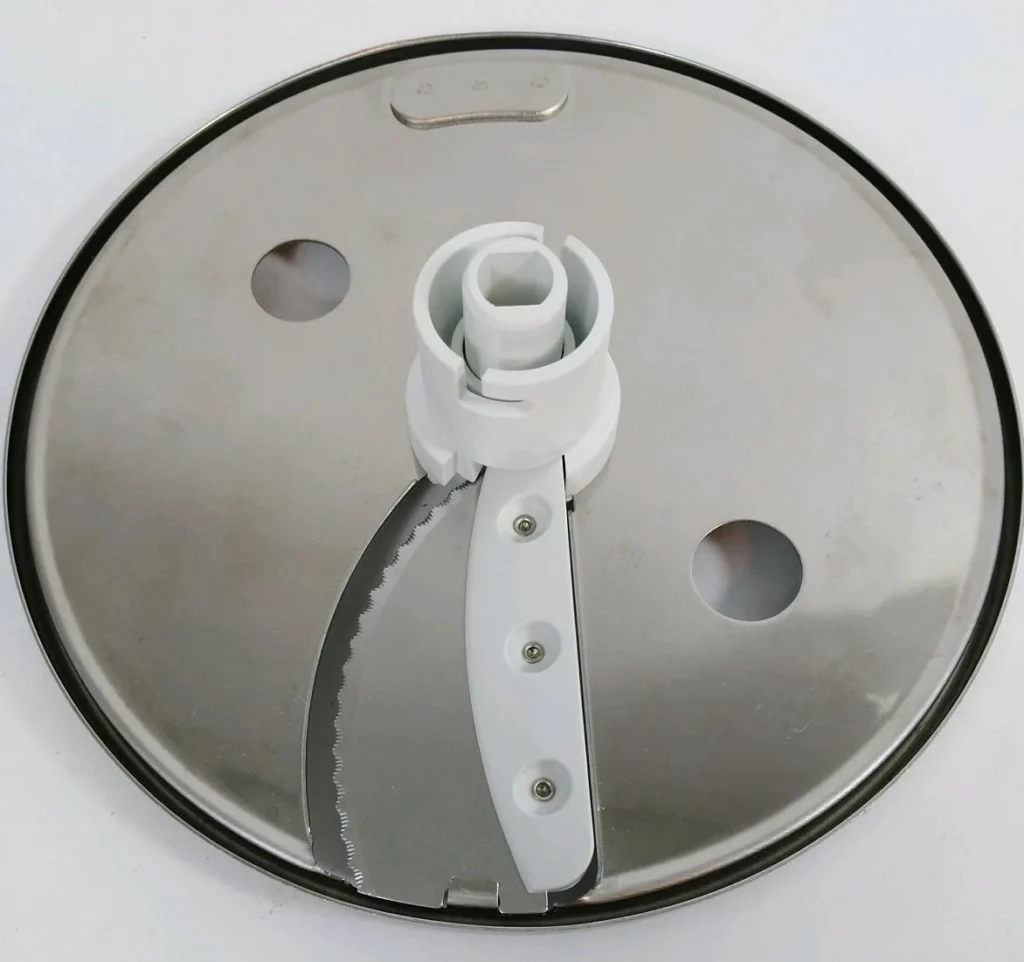

Before buying a replacement part, identify the exact slicer model and the component that is missing or damaged.
Replacement components can differ between slicer attachment designs. Confirm the model number before ordering a blade, pusher, housing, or other component.
What to verify before buying a replacement
For the KSMVSA, KitchenAid’s product documentation identifies the following included components and accessories; availability of individual replacement parts should be confirmed through KitchenAid’s parts and support resources.
Slicing blade
Confirm it is specified for your slicer model and is the correct 3mm blade.
Medium shredding blade
Check that the replacement is the 4mm medium blade for your model.
Coarse shredding blade
Confirm the 6mm coarse blade designation before purchasing.
Food pusher
Match the pusher to the attachment’s model and feed-tube design.
Attachment housing
Verify the model number and availability of a manufacturer-approved replacement.
Storage case
Confirm that the case is compatible with your attachment’s components.
Start with KitchenAid’s official parts resources
For genuine parts, begin with KitchenAid’s official replacement-parts and product-support resources.
Avoid assuming that a blade from a different slicer, food processor, or third-party attachment will fit just because it looks similar.

KitchenAid Fresh Prep Slicer/Shredder Attachment KSMVSA
The KitchenAid Fresh Prep Slicer/Shredder Attachment KSMVSA connects to the power hub of a KitchenAid stand mixer and uses the mixer’s motor to slice and shred fresh ingredients. It includes a 3mm slicing blade, 4mm medium shredding blade, 6mm coarse shredding blade, 2-in-1 food pusher, and storage case.
Key Features
Pros
- Three interchangeable blades for slicing and shredding
- Includes 3mm, 4mm and 6mm cutting options
- 2-in-1 feed tube accommodates different ingredient sizes
- Uses the KitchenAid mixer motor through the power hub
- Can process ingredients into a bowl of your choice
- Storage case included
- Blades are top-rack dishwasher safe
Cons
- Requires a compatible KitchenAid stand mixer
- Only three cutting blades are included
- Designed for slicing and shredding rather than full food-processing functions
- Replacement-part availability should be confirmed for the exact model
- Requires storage space for the attachment and accessories
As an Amazon Associate, MixerDecoded may earn from qualifying purchases. Product availability, pricing and ratings may change.
KitchenAid Slicer Attachment Review: What Can It Actually Do?
The KitchenAid Fresh Prep Slicer/Shredder is intended for everyday slicing and shredding rather than every type of food-processing task.
Its three supplied blades provide different preparation options, and KitchenAid highlights the ability to process vegetables and cheese directly into a bowl.
What the slicer is designed to handle
| Ingredient | Suitable blade |
|---|---|
| Cucumbers | 3mm slicing blade |
| Carrots | 3mm slicing or 4mm medium shredding blade |
| Zucchini | 3mm slicing blade |
| Cheese | 4mm medium shredding blade |
| Cabbage | 6mm coarse shredding blade |
| Potatoes for hash browns | 6mm coarse shredding blade |
What it isn’t designed to replace
Meat Slicer
The Fresh Prep attachment is documented for slicing and shredding fresh ingredients, not as a dedicated meat-slicing appliance.
Deli Slicer
It should not be treated as a replacement for a dedicated deli slicer designed for controlled slicing of meats and similar foods.
Juicer
The documented KSMVSA functions are slicing and shredding. It is not documented as a juice-extracting attachment.
Complete Food Processor
The Fresh Prep attachment provides slicing and shredding rather than the broader range of functions associated with a complete food processor.
The Fresh Prep attachment should not be confused with a meat slicer, a dedicated deli slicer, a juicer, or a complete food processor.
Its documented functions are slicing and shredding fresh ingredients. The supplied manufacturer documentation does not establish that it can safely or effectively perform every task associated with those other appliances.
If you need to slice cooked meat, make juice, knead dough, or perform extensive food-processing functions, identify an appliance specifically designed for that task.
KitchenAid Slicer Attachment vs Food Processor: Which Setup Do You Need?
The two products serve overlapping but different purposes. KitchenAid lists its vegetable slicer and shredder and its food processor as separate attachments, with their own model numbers and compatibility guidance.
Focused on everyday slicing and shredding.
Adds broader food-processing functions.
| Feature | Fresh Prep Slicer/Shredder | Food processor attachment |
|---|---|---|
| Main purpose | Slicing and shredding | Broader food-processing functions |
| Model | KSMVSA / 5KSMVSA | 5KSM2FPA in the UK |
| Included cutting options | 3mm slicing, 4mm medium shredding, 6mm coarse shredding | Check the exact model’s accessories and manual |
| Compatibility | Designed for all household KitchenAid stand mixers | UK compatibility guide excludes 5KSM7990X |
| Dicing | Not one of the documented KSMVSA functions | Included with KSM2FPA |
| Julienne | Not one of the documented KSMVSA functions | Included with KSM2FPA |
| Adjustable slicing | Three supplied blade sizes | ExactSlice adjustable slicing system |
What the slicer/shredder is for
The Fresh Prep Slicer/Shredder is designed around everyday slicing and shredding. Its KSMVSA package includes a 3mm slicing blade, 4mm medium shredding blade and 6mm coarse shredding blade.
- Slice cucumbers and zucchini
- Slice or shred carrots
- Shred cheese
- Shred cabbage
- Shred potatoes for hash browns
What the food processor adds
The KitchenAid food processor attachment provides a broader set of preparation functions. The KSM2FPA, for example, is designed to dice, slice, shred and julienne fruits, vegetables and hard cheeses.
- Slice from thick to thin
- Shred from fine to coarse
- Dice ingredients into 8mm cubes
- Create julienne or matchstick cuts
- Use the ExactSlice adjustable slicing system
Choose based on the type of preparation you actually need.
If slicing cucumbers, shredding cheese, and preparing cabbage are your primary tasks, the Fresh Prep slicer is the relevant product to investigate.
If you need additional food-processing functions, compare the exact food processor model and its supported features rather than assuming the slicer attachment provides them.
You mainly want to slice and shred
The KSMVSA’s three supplied blades cover common slicing and shredding tasks.
You want more cutting functions
A compatible food processor attachment can add functions such as dicing and julienne cutting.
Check the complete KitchenAid attachment compatibility guide.
Third-Party KitchenAid Slicer Attachments: What Should You Check?
Third-party compatibility is not automatically established by the fact that a product is advertised as a KitchenAid slicer attachment.
KitchenAid’s universal power-hub statement applies to KitchenAid stand-mixer attachments designed for that hub. It does not independently certify every third-party product that claims to fit a KitchenAid mixer.
Exact mixer compatibility
Look for explicit support for your mixer model or a documented KitchenAid hub interface.
Manufacturer and seller documentation
Confirm that the manufacturer identifies the attachment’s intended mixer models and operating instructions.
Replacement parts
Check whether blades, pushers, and other wear components can be replaced.
Warranty and return terms
Confirm the seller’s return policy and whether the manufacturer offers support for your region.
Will KitchenAid Slicer Attachments Fit Kenwood Mixers?
KitchenAid’s compatibility documentation addresses KitchenAid stand mixers and does not establish that its slicer attachment is compatible with Kenwood mixers.
The two brands should not be treated as interchangeable based solely on their attachments’ appearance or a seller’s general compatibility claim.
Check the exact model before purchasing.
Check the exact Kenwood model and the slicer manufacturer’s written compatibility documentation before purchasing. Do not attempt to adapt a KitchenAid hub attachment to a Kenwood mixer unless the manufacturer explicitly supports that configuration.
Where to Buy a KitchenAid Slicer Attachment in the UK
Frequently Asked Questions
Is there a slicer attachment for a KitchenAid mixer?
Yes. KitchenAid makes the Fresh Prep Slicer/Shredder, model KSMVSA in the US and 5KSMVSA in the UK. It connects to the stand mixer’s power hub and includes three blades for slicing and shredding.
Will KitchenAid attachments fit all models?
KitchenAid states that its stand-mixer power hub is universal for hub-powered attachments. However, individual accessories can have model-specific exclusions, so always check the compatibility documentation for the exact attachment.
Does the KitchenAid slicer attachment fit the Artisan Mini?
The Fresh Prep Slicer/Shredder is designed to work with the power hub of household KitchenAid stand mixers, including the Artisan Mini.
What is the difference between KSMVSA and RVSA?
KSMVSA is the newer Fresh Prep Slicer/Shredder design. KitchenAid identifies improvements to the blade installation and ejection system, food pusher, overall design, and storage case compared with RVSA.
What slicer blade is best for shredding cheese?
KitchenAid identifies the 4mm medium shredding blade as suitable for freshly shredding cheese and firmer vegetables such as carrots.
Why won’t my KitchenAid slicer attachment fit?
Possible causes include incorrect alignment, improper installation, a problem with the attachment, or an issue with the mixer’s hub. Unplug the mixer, inspect the attachment, and follow KitchenAid’s installation guidance. Do not force the attachment.
Can I use a KitchenAid slicer attachment on a Kenwood mixer?
KitchenAid’s universal hub guarantee covers KitchenAid stand mixers, not Kenwood mixers. Check the specific third-party manufacturer’s compatibility documentation before attempting to use a KitchenAid attachment on a Kenwood machine.
Can I buy replacement blades for the KitchenAid slicer?
KitchenAid documents three blades for the KSMVSA: a 3mm slicing blade, 4mm medium shredding blade, and 6mm coarse shredding blade. Check the manufacturer’s replacement-parts resources for current availability and model-specific part numbers.
Is the KitchenAid slicer attachment worth buying?
Whether it is worth buying depends on how frequently you slice or shred ingredients, the functions you need, the purchase price, and whether you already own a suitable food processor. The Fresh Prep attachment is specifically designed for slicing and shredding, rather than replacing every food-processing appliance.
Final Thoughts
The KitchenAid Fresh Prep Slicer/Shredder is designed to work with all household KitchenAid stand mixers through the universal power hub. The US model is KSMVSA, while KitchenAid’s UK compatibility guide identifies it as 5KSMVSA.
The most important step is to identify your exact mixer and attachment model before purchasing. If an attachment does not fit properly, stop and check its installation, condition, and manufacturer documentation rather than forcing it into the hub.
For readers who want to expand their KitchenAid setup, the slicer is one of several hub-powered accessories, but its suitability ultimately depends on the ingredients and food-preparation tasks they need it to handle.
What to Remember Before You Buy
Check the model
Look for the correct KitchenAid slicer model for your market, such as KSMVSA in the US or 5KSMVSA in the UK.
Check the attachment
Confirm that the attachment, blades, food pusher and other components match the product documentation.
Match it to your needs
The Fresh Prep Slicer/Shredder is intended for slicing and shredding, so choose it according to the food-preparation tasks you actually perform.
These model designations refer to the Fresh Prep Slicer/Shredder in the US and UK markets respectively. Always check the product documentation for your region before purchasing.
KitchenAid Compatibility Resources
If you are still checking compatibility, identifying an attachment, or deciding which KitchenAid accessory you need, these guides can help.
KitchenAid Attachment Compatibility Guide
Check how KitchenAid hub attachments work across different stand mixer models.
KitchenAid Food Processor Attachment Compatibility
Compare the food processor attachment with the slicer and shredder setup.
KitchenAid Attachment Replacement Parts
Learn what to check when an attachment needs a replacement component.
Still unsure about compatibility? Start with the exact mixer model, then confirm the slicer attachment model and its manufacturer documentation before buying.
Last Updated on October 3, 2026 by Susan Joy

Susan Joy
I am a freelance writer covering smart kitchen technology since 2017 and the founder of MixerDecoded, bringing a background in technology strategy to research-backed mixer content.