One of the most useful things about KitchenAid stand mixers is that most attachments fit most models, thanks to a hub design that’s stayed largely unchanged for decades. But “most” isn’t “all,” and knowing the handful of real exceptions matters more than the general rule.
Quick Answer: If your KitchenAid stand mixer was made after roughly 1990, nearly every stand mixer attachment KitchenAid has ever sold will fit your attachment hub, with a small number of specific exceptions covered below. Always confirm using your exact model number rather than assuming based on the series name alone.
In this article, we’ll cover:
How the Attachment Hub Works
Every KitchenAid stand mixer has a hub, usually located at the front of the mixer head, that accepts attachments like the pasta roller, food grinder, and other hub-powered accessories. This is separate from the bowl attachment point that holds the flat beater, dough hook, and wire whisk.
KitchenAid mixers use a front power hub that allows compatible attachments to connect and expand what your mixer can do.
KitchenAid Mixer
Your stand mixer provides the power source.
Front Power Hub
The attachment connection point on your mixer.
The reason compatibility is so consistent across models is that KitchenAid standardized this hub’s design early on and has maintained that same basic mechanism across its stand mixer lineup ever since. This is different from many other appliance categories, where a manufacturer might redesign a connection point with each new product generation, breaking compatibility with older accessories.
If you don’t have your model number handy yet, here’s a quick visual check: the attachment hub is the round, capped opening on the front of the mixer head, usually covered by a small hinged or twist-off cap when not in use. If your mixer has this opening and a locking mechanism (a lever, button, or knob) beside or below it to secure an attachment shaft, it uses the standard hub design. This visual check isn’t a substitute for confirming with your exact model number, but it’s a useful first indicator, especially for the Mini series, which is visibly smaller and often lacks this same hub opening entirely.
The Universal Compatibility Era, and Its Real Exceptions
For the vast majority of KitchenAid stand mixers, hub-powered attachments (pasta rollers, food grinders, and similar accessories) will fit regardless of which specific stand mixer model you own. This has held true across the Artisan, Classic, Professional, and most other standard lines.
KitchenAid attachments became much easier to match after the introduction of the universal power hub, but a few compatibility exceptions still exist.
Before Universal Compatibility
Older KitchenAid accessories often required closer attention to mixer type and model.
The Power Hub Era
Front hub attachments are designed to work across KitchenAid stand mixers.
⚠ Real Exceptions To Remember
Artisan Mini Models
Some larger attachments do not fit because of the smaller mixer base.
Certain Bowl-Lift Models
Some specialty attachments have model-specific restrictions.
Bowl Accessories
Bowls, beaters, dough hooks, and similar accessories depend on mixer size.
The KitchenAid Mini series (including models like the KSM3311X) has a smaller motor and, in some cases, a modified hub that doesn’t accept every attachment designed for full-size mixers. The Ice Cream Maker attachment specifically is known not to fit the Mini.
The largest bowl-lift Professional models, particularly the 7 quart Professional (KP26 series) and similar large-capacity bowl-lift mixers, can have compatibility differences with certain attachments compared to standard tilt-head and smaller bowl-lift models, due to the different mixer head geometry and the extra clearance some large-capacity models require.
Very early or specialty models outside the standard consumer lineup may not follow the same hub standard, though this is uncommon for the mixers most home users own.
If you own a standard tilt-head or mid-size bowl-lift model, you’re very likely in the universal compatibility group. If you own a Mini or one of the largest Professional bowl-lift models, it’s worth confirming the specific attachment against your exact model number before buying.
Attachment-by-Attachment Compatibility Notes
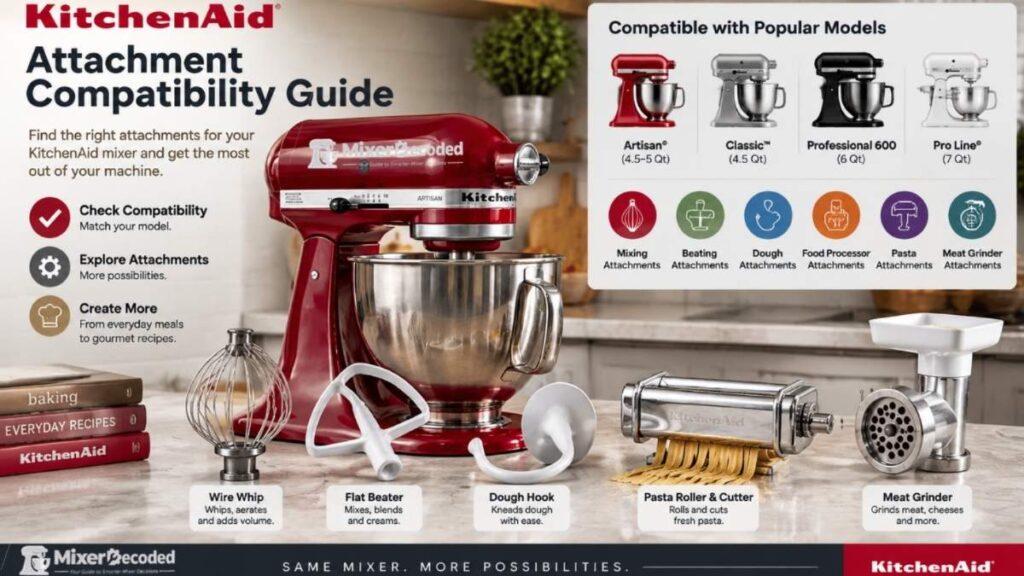
Here’s how the major hub-powered attachment categories fit into the compatibility picture described above. This isn’t a substitute for checking your exact model number, but it gives you a starting point for the attachments people ask about most.
- Pasta roller and pasta cutter set: Fits the standard hub across nearly all tilt-head and bowl-lift models. See Pasta Attachment Compatibility for model-specific notes.
- Food grinder: Fits the standard hub across nearly all models. Some grinder variants (meat grinder vs. food grinder attachments) have slightly different compatible ranges. See Food Grinder Attachment Compatibility.
- Ice cream maker: Fits the standard hub on full-size models, but is a confirmed exception on the Mini series. See Ice Cream Maker Attachment Compatibility.
- Slicer and shredder: Fits the standard hub across nearly all models. See Slicer Attachment Compatibility.
- Food processor attachment: Fits the standard hub on most full-size models, though it’s a heavier attachment and worth double-checking on smaller or older motor units. See Food Processor Attachment Compatibility.
- Spiralizer, juicer, and grain mill attachments: These generally follow the same universal-hub pattern as the attachments above, since they use the same connection point, but always worth confirming against your specific model given they’re used less frequently and compatibility data can be less prominently listed by third-party sellers.
Bowl-attachment tools, the flat beater, dough hook, and wire whisk, work differently from hub-powered attachments, since they attach to the mixer’s drive shaft inside the bowl rather than the front hub.
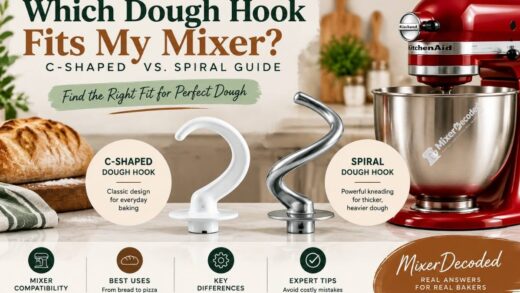
Their compatibility depends more on bowl size and shaft type. See Which Dough Hook Fits My Mixer?, Which Flat Beater Fits My Mixer?, and Which Wire Whisk Fits My Mixer? for those specifics.
Tilt-Head vs. Bowl-Lift: Does It Affect Attachment Compatibility?
Generally, no, not for hub-powered attachments. The hub itself works the same way regardless of whether your mixer is a tilt-head or bowl-lift design. Where the tilt-head vs. bowl-lift distinction matters more is with bowl compatibility and beater clearance, covered in our other guides, rather than with hub attachments like the pasta roller or grinder.
Your mixer style matters less for power hub attachments, but it can affect bowls, beaters, and other mixer-specific accessories.
Tilt-Head Mixers
- Head tilts back for bowl access
- Common in 3.5–5 quart models
- Uses tilt-head specific accessories
Compatible hub attachments
Pasta • Grinder • SpiralizerBowl-Lift Mixers
- Uses a lifting bowl mechanism
- Designed for larger batches
- Requires bowl-lift accessories
⚠ Compatibility Checks Still Matter
How to Confirm Compatibility for Your Specific Mixer
Before buying a KitchenAid attachment, check these four things to make sure it matches your mixer.
Identify Your Mixer
Find your model number and determine whether you have a Mini, Tilt-Head, or Bowl-Lift mixer.
Check Attachment Type
Confirm whether the attachment connects through the front power hub or depends on the bowl.
Verify Compatibility
Review the attachment requirements and check for model-specific exceptions.
Purchase With Confidence
Choose an attachment that matches your mixer without risking the wrong fit.
Find your exact model number. See How to Find and Decode Your KitchenAid Model Number if you haven’t already located it.
Check the attachment’s own listing or packaging. Most KitchenAid attachments list compatible model ranges directly, and this is the most reliable single source, since it reflects the manufacturer’s own current compatibility data.
When in doubt with a Mini or large Professional bowl-lift model, verify before buying. These are the two categories where a real chance of incompatibility exists, so it’s worth the extra step.
Third-Party Attachments: Compatible Does Not Always Mean Equal
Third-party attachments designed to fit the KitchenAid hub exist and are generally less expensive than genuine KitchenAid accessories.
Off-brand attachments may look similar, but compatibility involves more than simply fitting into the mixer hub.
Why People Consider Them
- Lower purchase price
- More attachment choices
- Alternative designs
What To Check First
- Exact mixer compatibility
- Attachment hub fit
- Seller reputation
- Product reviews
Potential Issues
- Poor alignment
- Loose connection
- Lower durability
- Wrong model match
Fit and quality can vary meaningfully between third-party manufacturers, and using them may affect your mixer’s warranty coverage depending on the circumstances.
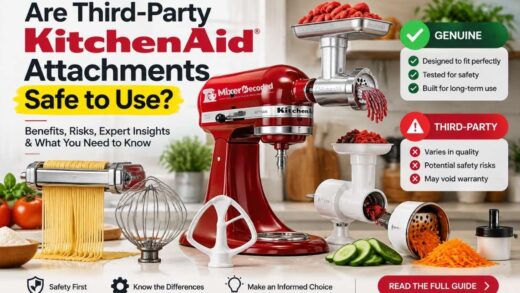
This is a big enough question to deserve its own answer. See Are Third-Party kitchenAid Attachments Safe to Use? for a full breakdown.
Pro Tips
- Don’t rely on the series name alone. “Artisan” and “Professional” each cover multiple bowl sizes and, occasionally, different hub-era mixers. Your specific model number is always the more reliable reference point.
- Check the attachment’s compatible model list even for a “universal fit” attachment. Manufacturer listings are updated as new models are released and occasionally reflect exceptions that general guidance like this one can’t capture for every possible model.
- If you’re buying secondhand, ask for the model number before purchasing an attachment for it. A private seller may not know their exact model, and confirming beforehand avoids a mismatched purchase.
Frequently Ask Questions
Will a pasta attachment from an old KitchenAid mixer fit a brand new one?
In most cases, yes, since the hub design has remained consistent for decades. This is one of the more reassuring aspects of KitchenAid’s attachment system for anyone upgrading their mixer while keeping older attachments.
Do all KitchenAid stand mixers use the same attachment hub?
The large majority do, with the Mini series and the largest bowl-lift Professional models being the notable exceptions. Standard tilt-head and mid-size bowl-lift mixers are very likely to share the same hub design.
How can I be completely sure an attachment will fit before I buy it?
Check the attachment’s own compatible model list using your exact model number, rather than relying on the series name. This is the most current and reliable source, since it reflects the manufacturer’s own compatibility data.
Continue Your KitchenAid Journey
Final Thoughts about KitchenAid Attachment Compatibility
KitchenAid’s attachment compatibility is genuinely one of the more owner-friendly aspects of the brand, thanks to a hub design that’s stayed consistent across most of its stand mixer lineup for decades.
The exceptions are narrow and specific, the Mini series and the largest Professional bowl-lift models, rather than widespread.
For nearly everyone else, confirming your model number and checking the attachment’s own listing is enough to buy with confidence.
Related Reading:
How to Find and Decode Your KitchenAid Model Number
Are KitchenAid Mixer Bowls Interchangeable?
Are Third-Party kitchenAid Attachments Safe to Use?
Last Updated on September 6, 2026 by Susan Joy

Susan Joy
I am a freelance writer covering smart kitchen technology since 2017 and the founder of MixerDecoded, bringing a background in technology strategy to research-backed mixer content.